Problems Receiving Emails from this Site.
There are two main reasons why you may not receive an email from this website.
- 1. Your email was not found.
This could be because you entered the email differently than is in the database,
or it could be that you are an employee who is relatively new to WTD and you have not yet been set up here.
If it seems likely that one of these is the case, please contact Tasha Johnson.
- 2. The email was sent, but you didn't get it.
Due to KCIT security policies, sometimes web generated emails (such as the ones from this site) get flagged as Phishing and blocked or sent to your junk mail.
You should wait a few minutes and then check your junk mail to see if it is there.
If not, I can show you how to check if it is in quarantine.
Email lost in Quarantine?
If you think that the email from this site has been lost in quarantine (quite possible), then please follow the instructions below to find and release it.
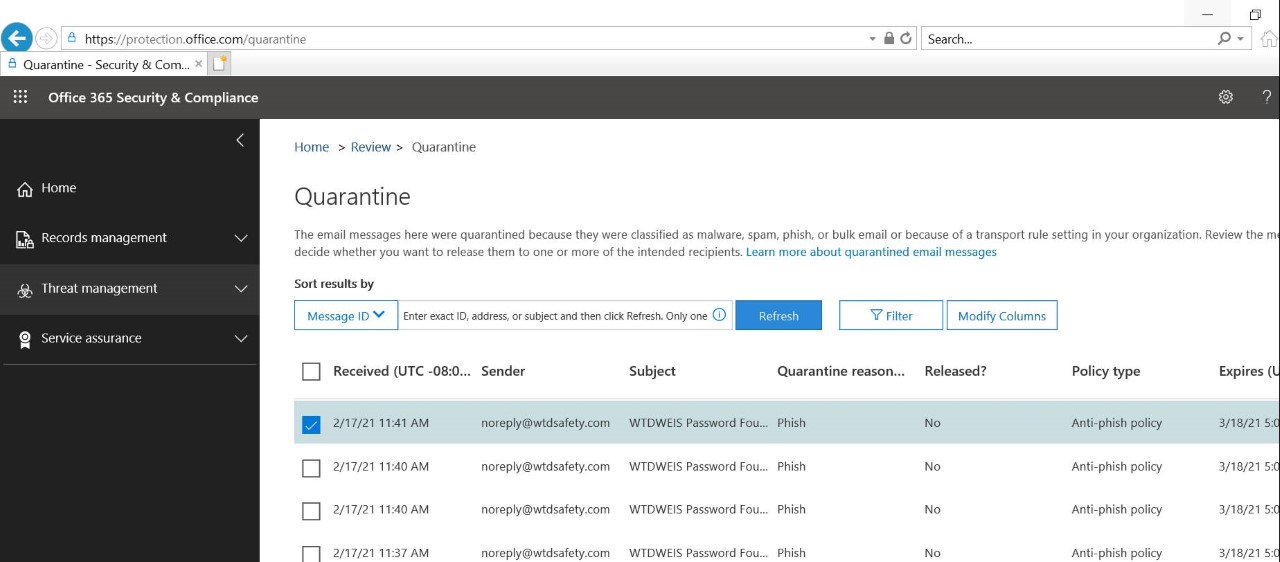
- On your KC computer, go to https://protection.office.com/quarantine. You may need to log in.
- Locate the missing email. It will be from the wtdsafety.com domain.
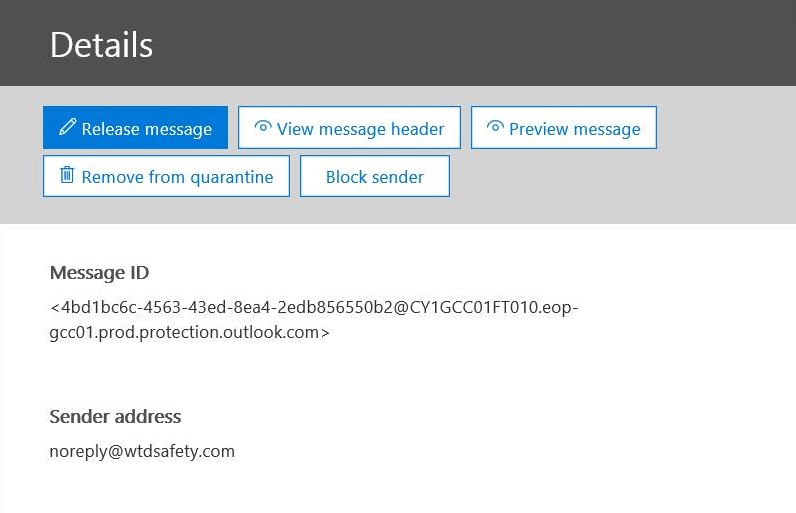
- Click or Check the missing email. This will bring up a pop-up screen.
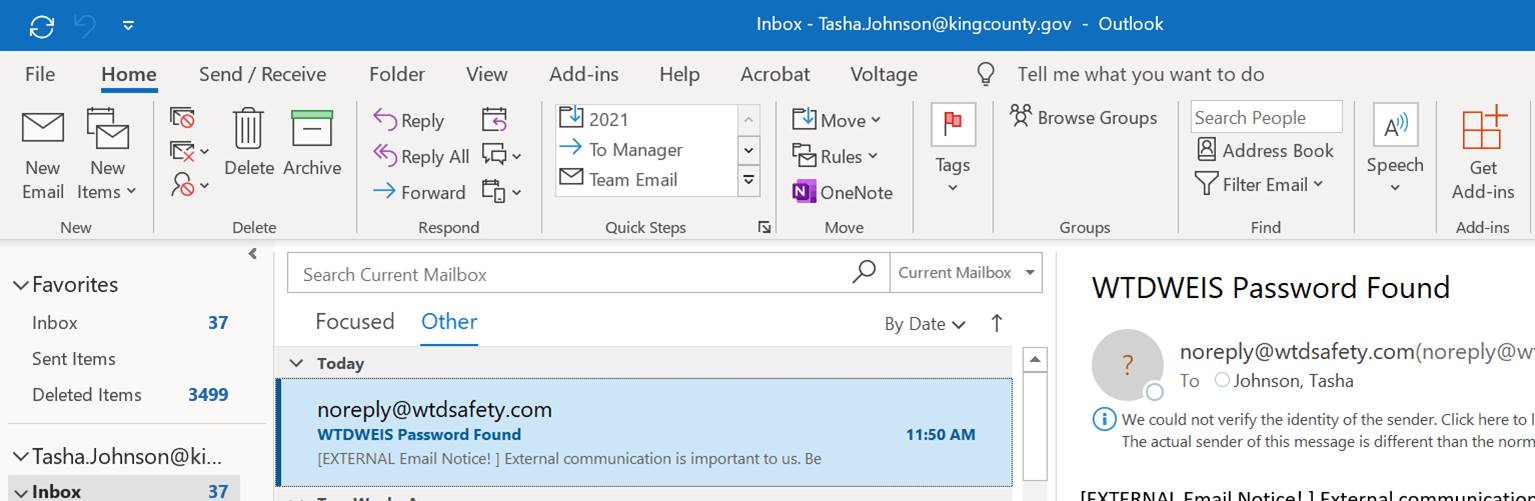
- On the pop-up screen click "Release Message". Within a couple minutes the message should now appear in your KC Outlook or other mail program. If you use the "Focused/Unfocused" option for sorting your inbox, it will likely be in the "Unfocused" portion. It may be a good idea to add the "Always Move to Focused" rule to this email or to add the sender to your Safe list.
|
